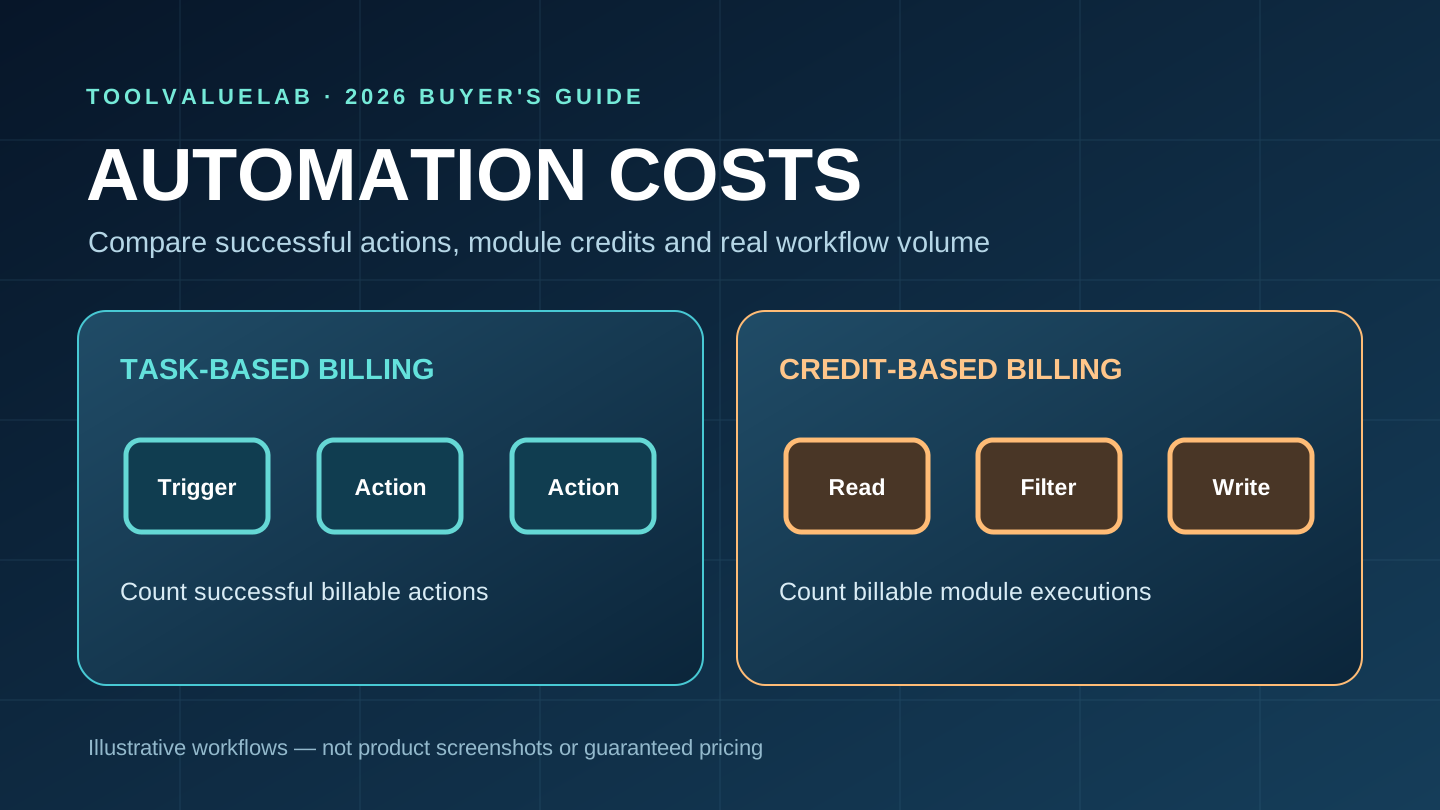
Quick verdict: Choose Zapier when your priority is connecting familiar business apps with straightforward workflows and easy handoffs. Consider Make when you need a visual way to branch, transform and process records and are willing to model credit usage carefully. Neither platform is universally cheaper: the same business outcome can consume different billable units because Zapier measures successful action tasks while Make measures credits for module operations.
This independent 2026 buying guide is for small businesses, operations managers and consultants in the United States, United Kingdom, Canada and Australia. Pricing is presented in US dollars where the vendor publishes USD figures; local currencies, taxes and regional availability can differ. We reviewed official vendor documentation on November 3, 2026, but did not perform first-hand performance benchmarks or purchase subscriptions.
What is the difference between Zapier and Make?
Zapier uses workflows called Zaps. A trigger notices an event, such as a new lead or form response, and actions then update a CRM, create a task or send a notification. Its broad app ecosystem and recognizable step-by-step builder can reduce the learning curve for a team whose automations are mostly linear. Zapier also offers filters, paths, tables, forms and AI-related features, but availability varies by plan and product.
Make uses scenarios assembled from modules on a visual canvas. Modules can read, transform, route and write data across apps. This design makes complex data movement visible, which is useful for workflows that handle arrays, multiple records, conditional branches or several destinations. The trade-off is that teams must understand how often modules run, especially inside loops and polling scenarios.
How Zapier tasks are counted in 2026
According to Zapier's task usage documentation, updated November 2, 2026, a successful action in a classic Zap generally counts as one task. Triggers do not consume tasks, and built-in filters and certain utility steps do not count. A successful CRM update followed by a successful email action usually consumes two tasks for one incoming lead.
Do not assume every new product uses the classic rate. AI by Zapier can charge according to the selected model tier; Zapier MCP and other products have separate published rates. Zapier also documents upcoming December 1, 2026 billing behavior for Next Gen Zaps and the SDK. If you are planning a workflow that will launch after that date, confirm the specific product's rates instead of applying the classic-Zap example blindly.
For a simplified example, 500 incoming leads a month with two billable successful actions each would require about 1,000 classic-Zap tasks. A three-action workflow at the same volume would require about 1,500 tasks. These are planning illustrations, not estimates for every AI step, retry or product.
How Make credits are counted
Make's official pricing FAQ says credits are its billing unit. Most module actions use one credit, while certain advanced AI-provider operations may use more. Reading a record, writing a row, searching an app, transforming data and iterating over records can each use credits. Router and some error-handler modules are exceptions. This means that counting only the final business actions is not enough.
Suppose a Make scenario receives 500 leads, reads a CRM record, transforms a field, then creates a record and sends a notification. If each of those four operations uses one credit per lead, that is approximately 2,000 credits. A repeated search that processes several matches can raise usage significantly. Polling behavior and the exact modules matter, so the right estimate comes from a small test with execution history, not a blanket formula.
Make says credits can be purchased beyond the base allowance on eligible plans, and that scenarios can pause when credits run out. Teams running customer-facing automations should plan for a buffer and configure error handling rather than budgeting exactly to the average month.
Official starting plans and pricing
At the time of review, Zapier's official pricing page advertised a Free plan with 100 tasks a month, Professional starting at $19.99 per month on annual billing, and Team starting at $69 per month on annual billing. The exact task tier, currency and billing term affect the quote. A starting price is not a promise that a particular workload fits that tier.
Make's pricing page showed a Free plan with up to 1,000 credits a month. Its publicly displayed USD monthly examples for a 10,000-credit allowance included Core at $12, Pro at $21 and Teams at $38 when viewed with monthly billing. Make also offers annual billing discounts and other credit volumes. These are plan examples, not like-for-like comparisons with Zapier task allowances.
Because a Zapier task and a Make credit measure different operations, comparing '$19.99 versus $12' without building the workflow is misleading. A Zap that uses two successful actions may cost two tasks while the Make equivalent could use four or more module credits. Conversely, some visual workflows can be easier to build and maintain in Make even if they involve more modules. Check vendor pricing pages before purchasing; prices and features change.
Three realistic workload scenarios
Scenario 1: A lead form to CRM and sales notification
A small agency receives 300 form submissions a month. The desired result is to create or update a CRM contact and alert the assigned salesperson. With a classic Zap, two successful actions per lead suggest about 600 tasks before exceptions. A Make implementation might include lookup, branching, record creation or update, and messaging modules; count the actual module executions, not just the number of leads. Test duplicate detection and failed records because those choices affect both reliability and usage.
Scenario 2: Order reconciliation and spreadsheet reporting
An online store needs to collect orders, normalize line items, enrich customer data and write a daily summary. Make's visual routes, iterators and aggregators can be attractive for this multi-record workflow. But iterating over 20 items for each of 200 orders can multiply module activity. Zapier may also support the workflow using loops and code steps; confirm their task rates and runtime constraints before committing. A representative dataset with unusually large orders is essential for cost estimation.
Scenario 3: AI-powered support triage
A support team wants to classify new tickets, create CRM notes and route urgent issues. This is not merely a two-step integration: it introduces model cost, accuracy risk, sensitive data handling and human escalation. Both vendors offer AI-related capabilities, but AI billing can differ from standard actions. Test classification quality with anonymized historical examples and measure total charges across the automation platform and the AI provider. Keep a human review path for consequential decisions.
Reliability, security and operational ownership
Before automating live customer records, define who owns each connected account, how permissions are granted, where logs are stored and what happens when a token expires. Prefer least-privilege credentials and shared organizational ownership over one employee's personal account. Review each vendor's current data processing and regional terms if your organization handles regulated or sensitive information.
A successful run is not the same as a correct business outcome. Add duplicate prevention, idempotent writes, retries with safe limits, dead-letter or review queues, and alerts for failures. Maintain a documented manual fallback for critical processes such as invoices, lead assignment or customer communications. During your trial, disconnect one integration intentionally and check how the workflow recovers.
A seven-day pilot that reveals the real cost
Day 1: Write down the business event, the expected result and an owner. Day 2: Build the simplest working workflow in each platform. Day 3: Test normal cases, duplicates, missing fields and errors. Day 4: Run a representative batch and record billable usage. Day 5: Estimate monthly and peak volume, including retries and unusual records. Day 6: Ask another employee to maintain the workflow without the builder's help. Day 7: Compare total subscription cost, support requirements, failure recovery and time saved.
Use a simple worksheet: monthly events multiplied by billable units per event, plus fixed polling or scheduled operations, plus a sensible contingency. Track third-party API charges separately. Then compare the actual subscription tiers that accommodate that volume. A platform that costs a little more but reduces maintenance and failed handoffs may be the better economic choice.
Which platform should a five-person business choose?
For a five-person team with common CRM, calendar, email and form automations, start by prototyping in Zapier if the staff already know its interface and the workflow is mostly linear. Try Make if the workflow involves branching, record enrichment, aggregation, complex data transformations or multiple downstream systems. Both should be evaluated against real usage, not a marketing comparison chart.
If your primary challenge is choosing a CRM rather than connecting one, read our five-seat CRM buyer's guide. For broader small-business AI adoption, see our practical AI tools guide. Teams building custom automation services may also benefit from understanding Vercel versus Render hosting trade-offs before deploying webhook receivers and background workers.
Frequently asked questions
Is Make always cheaper than Zapier?
No. Make may offer a lower entry price for some credit allowances, but billable module activity can exceed the number of business actions. Build the same outcome in both tools and compare real usage at your projected volume.
Do failed Zapier actions consume tasks?
Zapier's current classic-Zap documentation says unsuccessful action steps do not count, but replaying already-successful actions can count again. Other products and upcoming Next Gen rules differ. Consult the applicable documentation for your exact workflow.
Should a business choose the annual plan immediately?
Usually not before a pilot. First verify integrations, failure handling, permissions and monthly usage. An annual discount is valuable only if the platform fits your workflow and you can support it.
Sources and editorial disclosure
Official references reviewed November 3, 2026: Zapier plans and pricing; Zapier task usage, updated November 2, 2026; and Make plans, credits and billing FAQ. This is independent desk research with illustrative workflow math, not a hands-on benchmark. No affiliate commission is assumed and no endorsement or paid partnership is claimed.