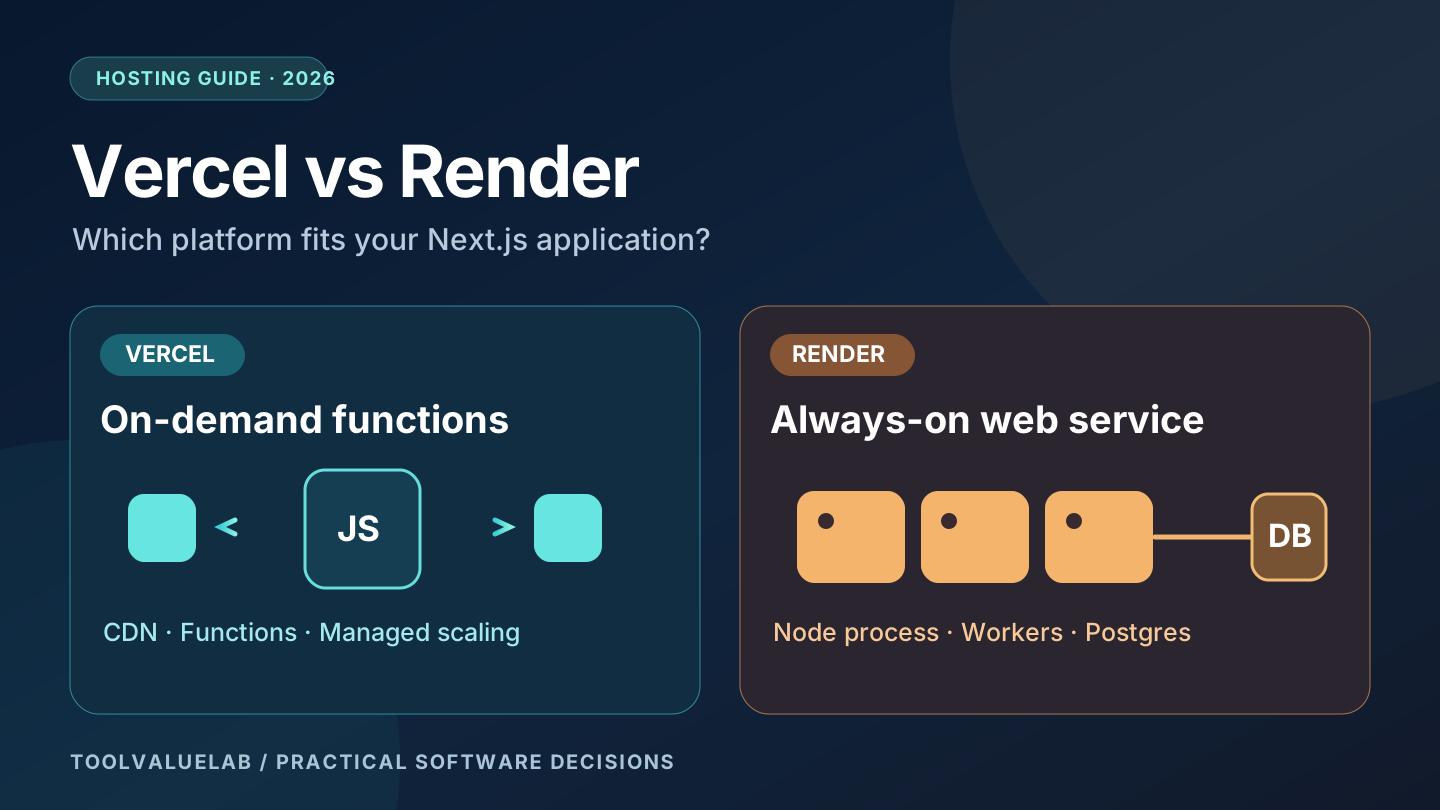
Updated November 2, 2026. Choosing between Vercel and Render for a Next.js application is not simply a question of which service has the cheaper entry price. The bigger decision is whether your application works best with managed, on-demand functions and an integrated frontend delivery platform, or with a conventional Node.js server that can stay running and be paired with dedicated background workers. Both can serve a serious website, but they create different operating costs and maintenance responsibilities.
Quick verdict: Vercel is an especially convenient fit for a Next.js frontend with server-rendered pages, short API operations, preview deployments and managed scaling. Render is attractive when you want a persistent Node.js web service, custom server processes, or separately managed workers. Neither platform eliminates the need to budget for databases, media storage, monitoring and traffic. This guide uses published platform documentation rather than claimed hands-on benchmarks.
Vercel vs Render at a glance
| Decision factor | Vercel | Render |
|---|---|---|
| Typical Next.js runtime | Managed deployments, CDN and request-driven functions | Persistent Node.js web service for SSR, or static-site hosting for exported apps |
| Static website | Well supported with global delivery | Static Site product with CDN delivery |
| Server-side routes | Vercel Functions with platform limits and metered resources | Node process running as a web service with selected instance size |
| Background processing | Cron-triggered functions and separate workflow/queue options | Dedicated background worker and cron-job service types |
| PostgreSQL | External managed providers, including marketplace integrations | Separate managed Render Postgres instance or external provider |
| Cost pattern | Plan fee and metered usage, depending on plan | Compute instance charges plus optional data and worker services |
These are architectural tendencies, not absolute restrictions. Vercel offers additional workflow and backend products, and Render can serve static applications without a continuously running web server. Review the current Vercel Pro documentation and Render Next.js deployment guide for the features available to your account.
First decide what kind of Next.js application you have
A marketing website with mostly static pages is different from a subscription dashboard that renders account data on every request. A fully static export can run on a CDN without a Node.js server; a Next.js app using server-side rendering, API routes, authenticated server actions or runtime database queries generally needs server-side execution. Render explicitly distinguishes a Node web service for full Next.js applications from a Static Site for a static export. A static export does not magically provide the runtime features of a full Next.js server.
Vercel's Next.js integration abstracts much of this deployment choice. Its delivery network serves static assets while supported server-side work runs in functions. However, do not assume every Vercel function runs at the network edge: runtime and region selection still matter. If your application makes repeated database calls, locate compute and database sensibly to reduce network latency.
What does Vercel cost in 2026?
Vercel has a free Hobby plan, but its fair-use policy restricts Hobby to non-commercial personal use. A company website, paid client project or advertising-supported business should not budget on the assumption that Hobby is an unrestricted commercial hosting plan. The relevant commercial starting point is typically Pro, which Vercel documents as a $20-per-month platform fee with one deploying team seat and $20 in included usage credit. That credit is not an unlimited compute allowance, and additional seats, paid add-ons or resource usage can increase the invoice.
Billing also depends on traffic, function activity, data transfer, image processing and other products. A page with thousands of cached views may cost differently from an API that repeatedly performs heavy computation. Before migrating, estimate requests, CPU use, function memory time, cache behavior and outbound data transfer using Vercel's usage reporting guidance. All example amounts in this article are in US dollars and exclude applicable taxes; actual rates can change.
What does Render cost in 2026?
Render offers free web services for experiments, but its own documentation says free instances should not be used for production applications. Free web services can spin down after 15 minutes of inactivity, introducing a cold-start delay for the next visitor. Free Render Postgres databases have a 1 GB limit and expire after 30 days, making them unsuitable for persistent customer records without upgrading.
For an illustrative paid baseline, Render's July 2026 small-business hosting cost snapshot described an always-on Starter web service plus a small paid Postgres instance at roughly $13 per month before bandwidth or storage growth. That is a dated example, not a guaranteed November 2026 quote. Render's current pricing page should be checked before purchase. Add separate workers, cron jobs, database storage, persistent disks, bandwidth and any paid workspace features that your architecture needs.
The crucial distinction is that an always-on web instance consumes allocated compute capacity even when traffic is quiet, while usage-based functions are charged differently. Neither model is always cheaper: compare an actual workload, not only the advertised entry price.
Serverless functions versus an always-on Node.js process
On Vercel, request-driven functions are a natural fit for login callbacks, database queries, form submissions and ordinary API routes. They have runtime, memory, duration and bundle-size constraints, and execution costs depend on the selected plan and configuration. See Vercel's function limits rather than assuming that an HTTP request can run indefinitely. Modern Vercel capabilities include Fluid Compute, so older articles quoting universal ten-second timeouts can be misleading.
On Render, a Node.js web service runs your application as a process listening on a port. That makes conventional server patterns familiar, but it also means you are responsible for resource sizing and application behavior during deployments or restarts. Do not put a critical queue inside the web process without durable storage: a restart can interrupt in-memory jobs. Render's background-worker documentation recommends separate workers for processing tasks outside the HTTP request path.
Neither model is a substitute for good application design. Make external API calls idempotent, set timeouts, keep secrets out of source control, and store durable state in a database or queue rather than local process memory.
Databases, file uploads and media storage
Vercel no longer offers the original first-party Vercel Postgres product for new provisioning; it connects to providers such as Neon and Supabase through the storage marketplace. A production app therefore needs to account for the external database plan, region, connection pooling, backups and credentials. Render offers managed Postgres as a separate service, and you can also bring an external provider.
Both environments need a deliberate strategy for user-uploaded images and documents. Do not assume files written to a temporary function directory will remain there, and do not treat an ephemeral web-service filesystem as permanent media storage. Use durable object storage or an appropriate managed media service, store its URL in the database, and verify public access policies. If your application includes a CMS, this decision affects editorial images as much as customer attachments.
Teams planning CRM-driven content or lead workflows may also find our five-seat CRM buying guide useful for deciding which third-party integrations their app will actually need.
Cron jobs, email queues and background tasks
Daily scheduled tasks are possible on both platforms, but they operate differently. Vercel Cron Jobs invoke functions; according to its January 2026 documentation, Hobby jobs can run at most once daily with coarse timing, while Pro supports more frequent schedules. The job still inherits the function's limits. This is useful for a short daily sync, not necessarily for a video encoder that runs for hours.
Render offers separate cron-job services with a documented minimum monthly charge and a single-run guarantee, as well as persistent background workers. This can suit queue consumers, reporting pipelines and workloads that need to keep working after the initiating HTTP request has ended. A cron job is not a durable queue by itself: persist task state, record failures and retry safely.
For example, a small company might send a daily summary by querying Postgres and calling an email API. Either platform can handle that pattern. If the same company processes thousands of large PDF files or continuously consumes messages, a dedicated worker architecture may be more appropriate. Price the worker and queue separately rather than hiding them inside a web-hosting comparison.
Performance and reliability: what actually matters?
Do not choose based on unsupported claims that one provider is universally faster. A fair test measures a representative app with the same database region, caching rules, traffic shape and build configuration. Track p95 response time, server errors, cold starts, database latency, cache hit rate and recovery after deployment. Test from the countries where your customers actually live, including the United States, United Kingdom, Canada and Australia, rather than inferring results from a single laptop.
Vercel's CDN can make cached static content fast to deliver globally, but dynamic requests may still travel to a regional function and database. Render static sites also use CDN delivery, while server-rendered responses depend on the chosen web-service region and infrastructure. A poorly indexed database query can overwhelm any benefit from the hosting platform.
Security and operations checklist
For either provider, keep secrets in managed environment variables, restrict production database access, configure least-privilege service credentials and maintain tested backups. Enforce authentication and authorization inside your application; neither provider's deployment security automatically protects an insecure admin API. Add rate limiting for sensitive endpoints, configure custom-domain HTTPS, monitor error rates and keep dependencies patched.
For a client project, also verify commercial plan terms, support options, incident response and data residency needs. A business serving users in multiple countries should not assume that a globally distributed CDN means all sensitive data stays within a preferred jurisdiction. Review the actual region and data-handling settings of each backend component.
Three practical hosting scenarios
Scenario 1: Content-heavy marketing website
For mostly static pages, prioritize a reliable build pipeline, SEO metadata, image delivery and cache behavior. Vercel can be convenient for a Next.js codebase; Render Static Sites can also be appropriate if the application is truly exportable. Compare commercial terms and total costs, not merely the word “free.”
Scenario 2: Small SaaS dashboard with PostgreSQL
For user authentication, dashboard pages, payments and ordinary API routes, both Vercel plus a managed Postgres provider and Render web service plus Postgres can work. Vercel often reduces infrastructure configuration for a Next.js-first team. Render may feel more familiar to developers who want a standard Node server. Calculate database and observability expenses separately.
Scenario 3: App with continuous jobs and integrations
If your app processes files, polls queues, handles frequent background jobs or runs long tasks, Render's dedicated worker model deserves attention. Vercel may still be the frontend while a separate worker platform handles the queue. A hybrid architecture is valid if the added operational complexity has a clear benefit.
Seven questions to answer before choosing
- Does the application need server-side rendering or only static output?
- How many requests and how much compute do you realistically expect?
- Do any tasks exceed typical request-duration limits?
- Where will PostgreSQL, backups, uploaded files and secrets live?
- Do you need scheduled tasks, queues or a continuously running worker?
- What are the commercial-use, team-access and support requirements?
- What is the total monthly cost after database, storage, bandwidth and monitoring?
Run a small production-like pilot using one representative API route, a real but non-sensitive test dataset and a scheduled task. Measure deployment effort, failure recovery, latency and a full-month cost projection. Avoid basing a long-term infrastructure decision on an empty demo app.
Final recommendation
Choose Vercel when Next.js developer experience, previews, managed scaling and a function-oriented application are your priorities—and your commercial plan and usage model fit the budget. Choose Render when you prefer a conventional Node.js web service and want straightforward access to separate background workers or scheduled services. A hybrid deployment is reasonable when it simplifies the whole system rather than merely adding vendors.
If you're also choosing the business software that will connect to your application, see our small-business AI tools guide for a separate evaluation of everyday productivity needs. Hosting is only one component of a useful, secure product.
Editorial note: This is an independently written comparison based on vendor documentation accessed November 2, 2026. We did not run controlled performance benchmarks or receive vendor pricing quotes. Product terms and prices can change; verify current terms directly before purchasing. The featured illustration is an original conceptual graphic, not a screenshot of either platform.